
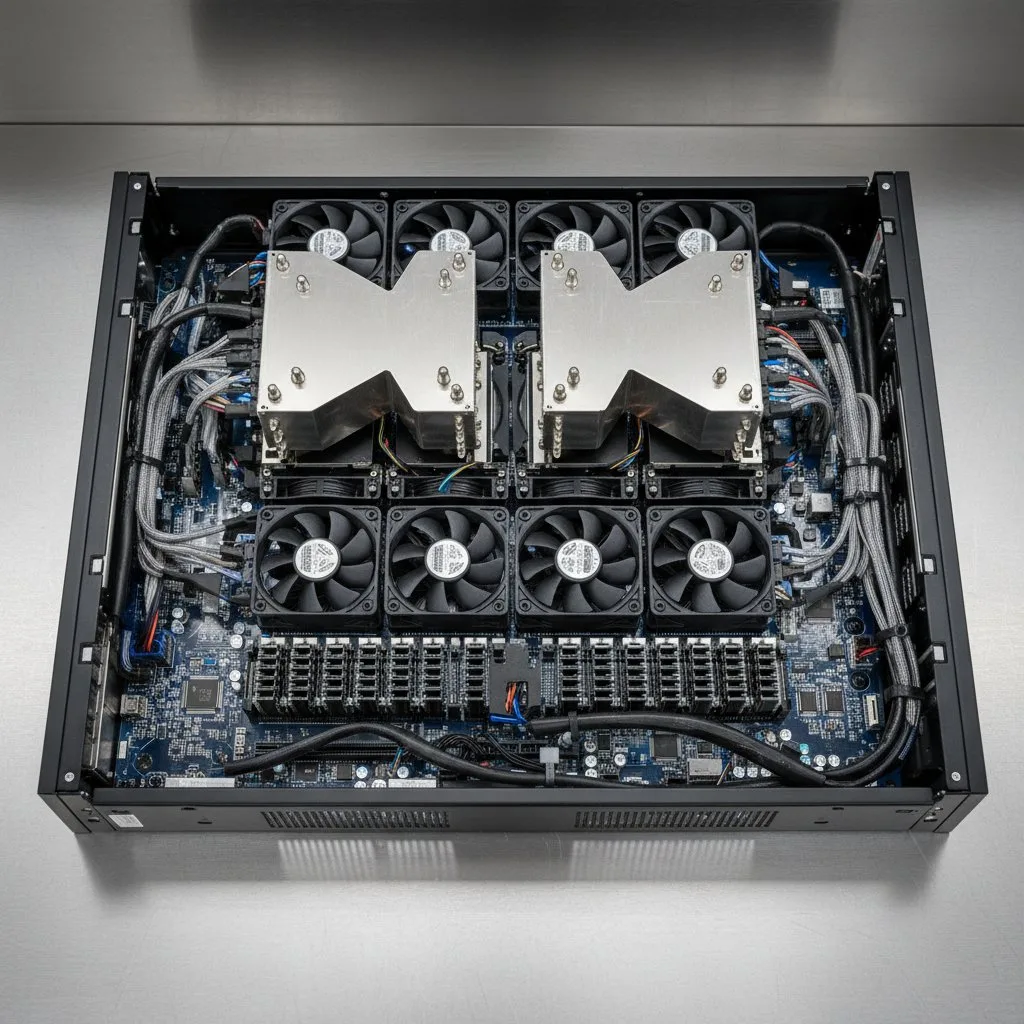
Supermicro hardware is powerful, highly configurable and very good value, which is exactly why deployments go wrong. The flexibility that makes it attractive is the same flexibility that produces a fleet where no two nodes behave the same way.
The main Supermicro platform families
Supermicro’s range is broad. The families you will most often meet in a datacenter:
- SuperServer: the general purpose rackmount line, from 1U to 4U, covering most standard compute
- GPU SuperServer: dense accelerator platforms built for AI training and inference, air or liquid cooled
- BigTwin and Twin: multi-node systems putting two or four nodes in one chassis, sharing power and cooling for density and efficiency
- SuperBlade: high density blade chassis for large homogeneous deployments
- SuperStorage: high capacity storage platforms with large drive counts
- Hyper: flexible enterprise systems balancing performance and expandability
Why Supermicro deployments go wrong
Three failure modes account for most of the pain we see when we are called into a struggling fleet.
First, firmware and BIOS drift. Nodes arrive over months, each with whatever firmware was current that week. Nobody aligns them. Six months later you have subtle, unreproducible behaviour differences across supposedly identical hardware.
Second, unconfigured BMCs. The BMC is your remote hands when something dies at 3am. If it was never given a network address, credentials and alerting, you will find out at exactly the wrong moment.
Third, airflow and cabling. Dense Supermicro chassis are unforgiving about airflow. Cabling that blocks the rear, missing blanking panels or a chassis in a rack too shallow for it will cook nodes that are otherwise perfectly healthy.
BMC and IPMI: configure it properly, once
Every Supermicro server has a Baseboard Management Controller, accessible over IPMI and a web interface. It gives you power control, console redirection, sensor data and hardware alerting independent of the operating system.
At deployment, every node should get a static or reserved BMC address on a dedicated management network, credentials that are not the factory default, alerting pointed at your monitoring, and console redirection verified. Do this at install time as a batch, not one node at a time when you already have a problem.
Leaving BMCs on default credentials and reachable is one of the most common and most serious security findings in server estates.
A deployment sequence that works
The order matters, because each step catches problems while they are still cheap:
- Inventory and asset capture: record every serial, MAC and BMC address before racking
- Rail and chassis mounting, with depth and airflow checked against the actual rack
- Power and network cabling, dual feeds where the platform supports it, cabled to keep rear service access clear
- Firmware and BIOS aligned across the entire fleet to one known version
- BMC and IPMI configured, secured and alerting
- Burn-in testing under sustained load
- Documented handover with the full asset and address list
Burn-in testing: do not skip it
Hardware fails on a bathtub curve: the highest failure rate is at the very beginning and the very end of life. Burn-in testing under sustained load deliberately provokes those early failures while the machines are still an installation problem rather than a production outage.
It also surfaces thermal issues you would otherwise discover under your first real workload, which is invariably at the worst possible time. A few days of load testing is cheap compared with pulling a node out of a live cluster.
Supermicro and liquid cooling
Supermicro’s GPU platforms are frequently deployed with direct-to-chip liquid cooling, because at 60kW and up per rack, air is not an option. If that is your plan, the servers and the cooling loop are one project, not two.
Cold plate compatibility, CDU sizing, manifold placement and quick disconnect choice all have to be settled before the hardware arrives. Deploying the servers first and thinking about cooling afterwards is how you end up with a very expensive rack running at half speed.
Frequently asked questions
What is Supermicro used for?
Supermicro builds server, storage and GPU platforms used across datacenters, HPC and AI. Its systems are popular for high density GPU training, multi-node compute and high capacity storage, and they are highly configurable.
What is the difference between BMC and IPMI?
The BMC is the physical management controller on the motherboard. IPMI is the standard interface used to talk to it. Together they give power control, console access, sensor data and alerting independently of the operating system.
Should firmware be aligned across servers?
Yes. Firmware and BIOS drift across nodes that arrived at different times causes subtle, hard to reproduce behaviour differences. Align the whole fleet to one known version at deployment and record it.
Do Supermicro GPU servers need liquid cooling?
Dense GPU configurations usually do. Once a rack passes roughly 40kW, air cooling is impractical, and GPU training racks commonly run 60 to 130kW, which needs direct-to-chip cooling with a CDU.
What is burn-in testing?
Running new hardware under sustained load before it enters production, to provoke early-life failures and thermal problems while they are still an installation issue rather than an outage.
Can you deploy Supermicro hardware we bought elsewhere?
Yes. We focus on installation and deployment services and work alongside your existing supplier or reseller, receiving, inventorying and staging hardware you have already purchased.
Read next: our guide to CDUs and server rack sizing guide. For deployment, see Supermicro system installation or request a site survey.